Today, whether it's communicating, selling or standing out online, images have become a universal language. In this context, Canva has established itself as the go-to creative partner. Whether you're an entrepreneur, content creator or simply passionate about design, this platform offers a rare combination of simplicity, rich functionality and integrated artificial intelligence, all at the service of your creativity. So, what are Canva's key features? How is AI changing the game? How does it differ from its competitor Adobe Express? We take a look with Esther Perreau, an expert in desktop publishing and office automation.
Canva: creativity for everyone
Canva has not only won over amateur graphic designers. It has democratised visual creation.
When it was first launched in 2013, the tool was mainly used to produce visuals for social media. Today, it covers an impressive range of needs.
- Communication media : leaflets, posters, brochures, business cards
- Digital communication : web banners, posts and stories for Instagram, TikTok, LinkedIn or Facebook
- Business : dynamic presentations, reports, dashboards, commercial proposals
- Training : educational worksheets, infographics
- Multimedia : short videos, animated GIFs, podcasts
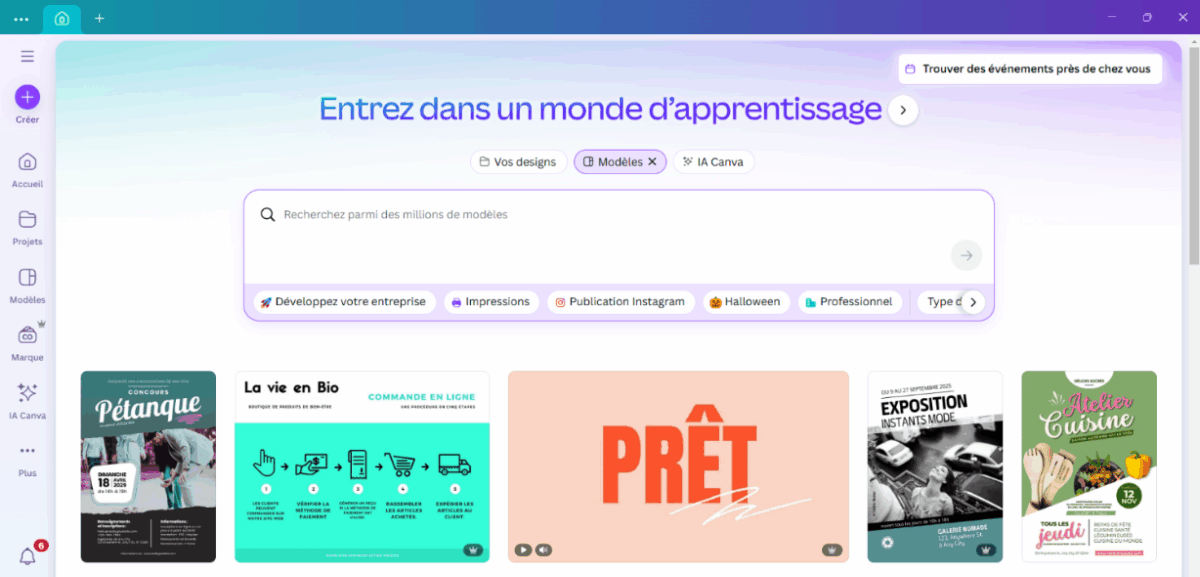
The interface is designed to be intuitive: drag and drop, clear menus, self-explanatory buttons... No software to install, everything happens online or via the mobile app.
It is this accessibility, combined with a library over 100 million resources (templates, photos, videos, icons, etc.), which has propelled Canva to the status of an essential tool in schools, businesses, and organisations. Whatever your level or budget, creativity becomes a real playground where anything is possible!
Key features of Canva
Canva's strength lies in its creative and fun toolkit.
Three of the most commonly used tools are worth mentioning.
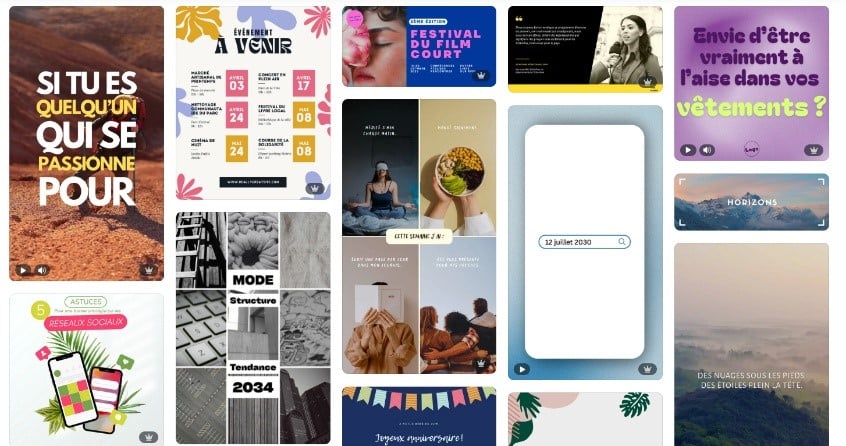
- Customisable templates : thousands of ready-to-use designs that you can adapt to your colours, fonts and text. A real playground for your ideas! (free and paid versions)
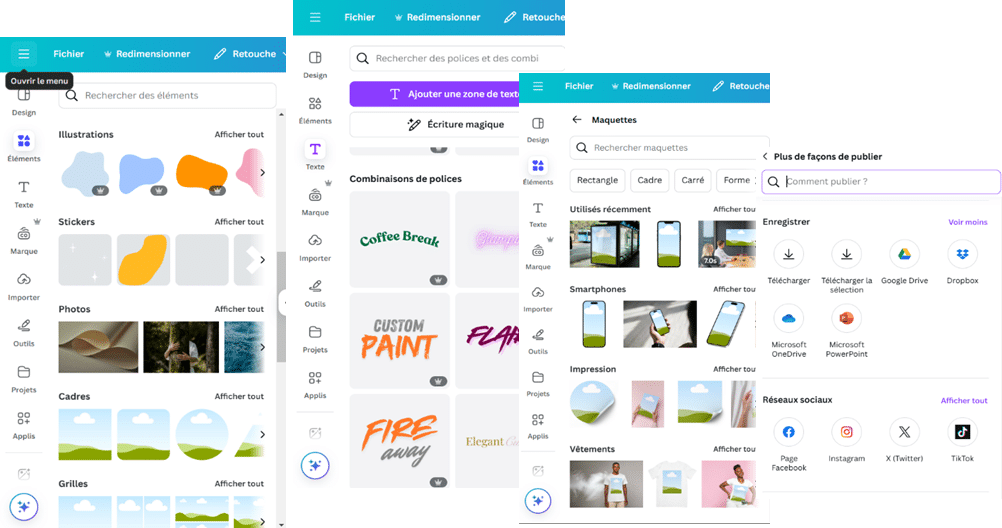
- The multimedia library : royalty-free photos, videos, icons, illustrations... a huge time saver, eliminating the need to search elsewhere. (free and paid versions)
- Photo editing tools simple : cropping, filters, background removal (paid) With one click, precise colour and brightness adjustments. Your visuals switch to «pro» mode in an instant.
Some features are intended for more advanced users.
- Real-time collaboration on the same document, perfect for remote teams.
- Layer management to organise visual elements like a pro.
- Smooth animations to bring your content to life.
- Multi-format export (PNG, JPG, PDF, MP4, GIF), ideal for adapting to all media.
- Integrated external applications : created by passionate developers and approved by Canva. Depending on their functions, some applications assist you in your creations, while others can generate content for you.
Testimonials
«I mainly use Canva to create visuals for social media, particularly Instagram. I appreciate the diversity of the templates available, which are a great source of inspiration, as well as the numerous illustrations and images on offer. The tool is also very handy for quickly creating short animations. Another advantage is the ability to easily integrate the company's graphic charter – colours, fonts, logos – to ensure visual consistency across all media.» Anne, graphic designer
«I use Canva occasionally to save time and simplify the creation of simple animations, particularly animated text or vector elements. My use remains focused on digital media. I mainly use Canva to design short animations for social media, particularly LinkedIn. For anything related to print, I prefer to stick with InDesign, which is much more precise and rigorous in terms of layout, import management and compatibility with the Adobe suite. I find the tool very intuitive and easy to use, but as a print graphic designer, I remain cautious: I prefer to keep my source files locally.» Virginie, graphic designer
Canva brings together everything you need to easily create and bring your projects to life. Creating becomes a breeze: your ideas take shape in the blink of an eye.
AI: Canva's new asset
The arrival of artificial intelligence in 2023 completely transformed Canva. Today, the pro (paid) version has become a true creative partner, always ready to surprise and offer ideas you would never have imagined. AI does not replace your creativity, it amplifies it. With just one click, you can save time, test, adjust...
There are several flagship AI tools integrated into Canva.
- Image generation and transformation : simply describe what you imagine, and the AI creates a single image… or convert a photo in your Magic Studio! Remove backgrounds, recover objects or text—anything is possible.
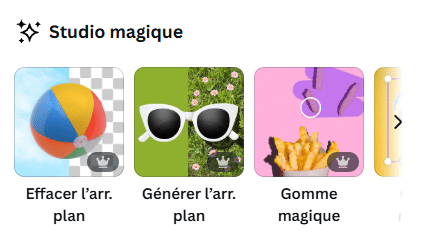
- Text improvement (Magic Write): AI rewrites, corrects and enriches your content to make it more impactful, as if you had your own personal editorial coach in your pocket!
- Layout assistance : automatic suggestions for aligning elements, harmonising colours and choosing fonts that work well together, so that every design has style.
For professionals, It's truly revolutionary: no more time wasted on details and meticulous adjustments. AI speeds up the entire production process and allows you to customise each element however you like.
Testimonial
«I've tested several AI tools integrated into Canva. I particularly like the image creation feature, which allows me to quickly obtain original visuals, as well as the generation of short music tracks to accompany my animations. Background cropping is also very fast and efficient. It's a real bonus for bringing my creations to life!» Anne, graphic designer
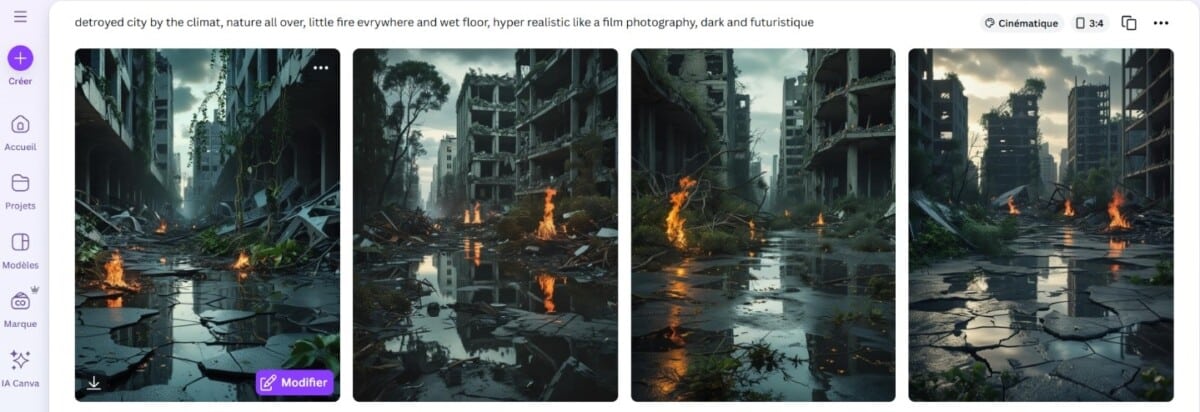
Although the prompt that generates your image works very well in French, it is preferable to use English. This is because AI models (including Canva's) have been trained primarily on English descriptions. This means greater accuracy, with more styles available and fewer errors in the result.
Example
You describe a scene in a few words and Canva delivers a customised image, ready to be integrated into your design.

Get trained!
Would you like to learn more about Canva's features? Discover the training programme. Canva: mastering visual design tools.
Key points:
- Mastering Canva's interface and basic features
- Create and customise documents from templates
- Develop advanced visual creation skills
- Utilise Canva's visual and graphic tools
- Collaborate on Canva projects
Examples of practical work :
- Customisation of an invitation, flyer or video template for marketing purposes
- Creating a design from scratch by importing predefined, animated, and external elements
Participants speak out:
«I'm leaving with new skills in Canva and lots of ideas for my company's communications.»
«The training gave me a clear understanding of the platform's capabilities. Before that, I didn't really know which tool to use to easily create an animation — this training gave me the right foundation to do it effectively.»
«For those discovering Canva for the first time, the main features were covered with numerous exercises to help participants learn and use this tool with a little more ease and without apprehension.»
Get trained!
Would you like to take it further? Discover the training programme Canva – advanced training. This training enables experienced Canva users to advance to a higher level of proficiency by developing interactive, animated, and consistent visual materials while optimising collaboration and the integration of external tools.
Canva and Adobe Express: what are the similarities and differences?
Canva and Adobe Express (formerly Adobe Spark) focus on simplicity. Both tools offer:
- Easy-to-use photo and video editing tools
- Ready-to-use templates
- Libraries of images and graphic elements
But there are notable differences. Canva stands out for its extensive library and variety of output formats. Adobe Express focuses on seamless integration with the Adobe suite, which is ideal if you already use Photoshop or Illustrator. When it comes to AI, Canva has taken the lead with more features and better integration into its workflow.
Furthermore, Canva was designed to make design accessible to as many people as possible, with a simple, intuitive approach and ready-to-use templates. Adobe Express, on the other hand, was created to offer a faster and more streamlined alternative, while remaining fully connected to the power of Adobe software, making it a practical asset for those who already work with this suite.
In summary: if you are looking for an all-in-one, versatile and ready-to-use tool, Canva remains a safe bet. If you are already in the Adobe ecosystem and want something lighter, Adobe Express will win you over.
| Criteria | Canva | Adobe Express |
| Ease of use | Highly intuitive interface, suitable for beginners and professionals alike | Simple, but sometimes more technical if you explore the advanced options. |
| Content library | Extensive: templates, photos, videos, graphics, audio | Less varied library |
| AI tools | Image generation and editing, computer-assisted layout, text enhancement | AI present but less integrated |
| Collaboration | Yes, in real time with integrated comments | Possible, but less fluid |
| Ecosystem | Multiple integrations (Google Drive, social networks, etc.) | Seamless integration with Photoshop, Illustrator, and other Adobe applications |
Get trained!
Adobe Express: boost your visual communication
Learn how to use the intuitive features of Adobe Express to create social media posts, posters, infographics, videos, and more. Master visual design techniques and develop a consistent visual strategy for your brand or project.
Testimonial
«Adobe Express is very handy for quickly creating short videos and adapting them to different formats. A real advantage is that you have access to all the fonts in the Adobe suite, which ensures consistency with other tools such as Illustrator and Photoshop.» Anne, graphic designer
Canva continues to push the boundaries. By making tools that were once only available to professionals accessible to everyone, it has redefined the way we create and share visuals. With advanced AI integration, customisation is faster, more creative, and more inspiring than ever before.
So, is Canva a real design asset? One thing is certain: it has already changed the way you bring your ideas to life.