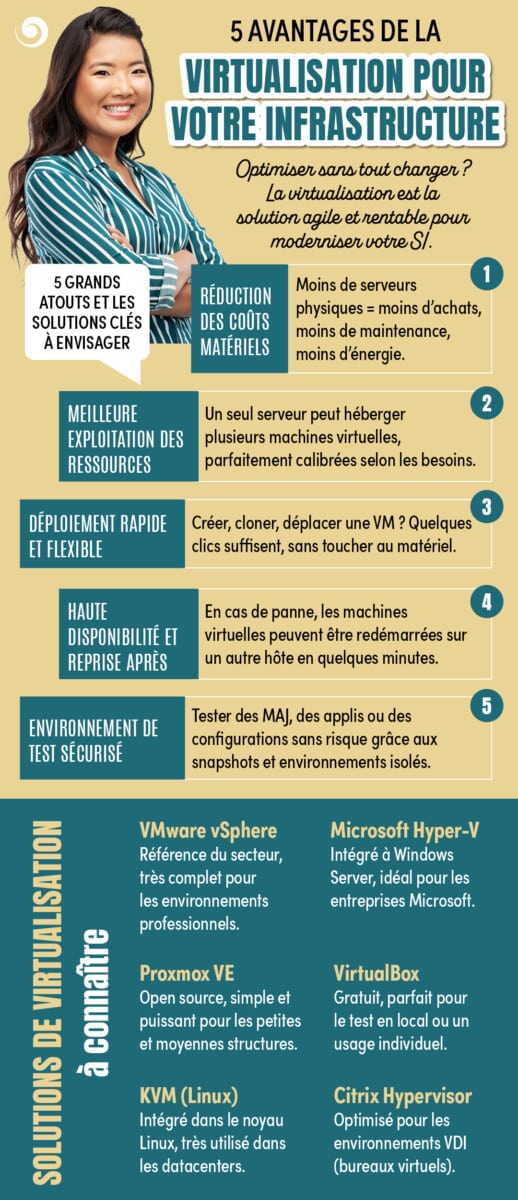
Optimise without changing everything? Virtualisation is now establishing itself as an agile, high-performance and cost-effective solution for modernising your IT system without the need for major hardware investments. By enabling you to make full use of existing resources, it improves the flexibility, availability and security of your infrastructure. Discover its five main benefits, as well as the most widely used virtualisation solutions on the market.

1. Reduction in equipment costs
Virtualisation makes it possible to consolidate several physical servers onto a single host machine. This approach significantly reduces investment in IT equipment whilst minimising costs associated with maintenance, cooling and energy consumption.
The benefits:
- Decline in purchases of physical servers
- Reduction in energy expenditure
- Lower maintenance and equipment replacement costs
- Optimising space in server rooms or data centres
2. Better use of resources
In many traditional infrastructures, servers are underutilised. Thanks to virtualisation, several virtual machines (VMs) can share the resources of a single server whilst remaining completely independent.
The benefits:
- Optimal use of the processor, memory and storage
- Dynamic allocation of resources based on actual needs
- Reducing waste of physical capacity
- Improving the return on investment from existing equipment
3. Rapid and flexible deployment
Creating and managing virtual machines is particularly straightforward. It is now possible to deploy a new server, clone an existing environment or move a VM from one host to another in just a few minutes.
The benefits:
- Faster application deployment
- High responsiveness to business needs
- Simplification of administrative procedures
- Easier scalability without major service disruption
4. High availability and disaster recovery
Virtualisation incorporates advanced business continuity mechanisms. In the event of a hardware failure or incident, virtual machines can be automatically restarted on another server to minimise service disruption.
The benefits:
- Reducing downtime for critical applications
- Improving business continuity
- Rapid Disaster Recovery
- Strengthening the resilience of infrastructure
5. Secure test environment
Virtual machines provide an ideal environment for testing new applications, updates or configurations without affecting the production environment. The snapshot features allow you to quickly revert to a previous state should a problem arise.
The benefits:
- Secure validation of technical changes
- Mitigating the risks associated with change
- Setting up isolated development and acceptance testing environments
- Quick rollback thanks to instant backups
Virtualisation solutions you should know about
VMware vSphere
As the industry standard for enterprise virtualisation, VMware vSphere offers advanced management, high availability, live migration and automation features for mission-critical environments.
Microsoft Hyper-V
Integrated into Windows Server, Hyper-V is a robust and cost-effective solution for organisations that primarily use Microsoft technologies.
Proxmox VE
An open-source platform renowned for its ease of administration and rich feature set. It combines virtualisation and containerisation within a single interface, making it ideal for SMEs and local authorities.
VirtualBox
A free and user-friendly solution, particularly well-suited to testing, development environments and training.
KVM (Kernel-based Virtual Machine)
Integrated directly into the Linux kernel, KVM is a high-performance technology that is widely used in cloud infrastructures and enterprise data centres.
Citrix Hypervisor
Designed for desktop virtualisation (VDI) environments, Citrix Hypervisor enables the delivery of high-performance, secure virtual desktops to users.